Showing posts with label Photography. Show all posts
Sunday, March 9, 2014
Rosemary, Michael, and the Wedding Planner...
This is the story of Rosemary, Michael, and their wedding planner, Desana Turner!
I have some experience with weddings. I stopped counting how many weddings I've attended, but the number is up there. I've seen weddings run as smooth as silk, and I've seen wedding disasters.
What is a wedding disaster? Flowers and cake that get delivered to the wrong address. Flowers that are the wrong color. The band shows up to the wrong wedding venue. A DJ that doesn't show up or call. Wedding guests arrive at the reception venue, and it's locked up. (These stories are all true). Catering is a whole different level of disaster. I understand that catering a large event is a tricky logistical undertaking. But you don't want to have 200 hungry guests, and the food is an hour late coming out, and when it does come out, it's over-cooked, burnt, or worse, they run out of food.
See what I mean by disaster? The difference between a smooth wedding, and a disaster is planning. I'll admit, some brides can do it. I've seen a bride and mother combination that could coordinate supplies for an invading army and not have one glitch. It can be done, but not everyone has the time, or the OCD skills to do it well.
I've always given advice to brides that having a wedding planner.... (and the caveat is a "GOOD" wedding planner) will save you time, blood, sweat and tears. Lots of tears. One of those really good wedding planners that I've worked with is Desana Turner. That woman pays attention to details. On March 1st, I photographed Rosemary and Michael's wedding. It was complex. A lot of planning, decorating, and coordinating with dozens of vendors. It still went smooth. I tip my hat to Desana. She was on top of things. I think I almost heard her use profanity when she found out the horse drawn carriage wasn't going to make it,... but otherwise, she never even breaks a sweat. The flowers, the food, the music, was perfect.
Rosemary's dress was beautiful. The groomsmen looked sharp. It was a gorgeous wedding. The venue was the famous Woodward House mansion. Built in the 1880's, the hand carved wood, and atmosphere in this beautiful venue added to the romance of the evening.
Saturday, September 21, 2013
Brides Beware of McNay Museum in San Antonio
Everyone who knows me, knows that I'm a nice guy. A harmless little fuzzball with a camera. It takes a little bit of rudeness to provoke me. That happened yesterday.
Friday, February 1, 2013
Review - USB Memory Direct - Branded Flash Drives
This review will be of some interest to photographers. It's a follow-up to a blog I wrote a few weeks ago, http://blog.rspearsphotography.com/2013/01/goodbye-cds-and-dvds-hello-usb.html where I was excited that my photography business would be delivering images to clients on a USB flash drive with my new logo on it.
If you do a Google Search on "branded flash drive" you'll get a quick idea of how many companies provide these. I requested price quotes from about 5 of them, and of those five, three were pretty quick about giving me a really nice proposal, all using the artwork for my logo, with a digital mock-up of what they could do with my logo on their products.
I made my decision by violating one of my own rules... I picked the one with the lowest price. Hey, some days you're the windshield, some days you're the bug. Today, I was the bug. The company that I chose was USB Memory Direct. Once I made my decision, I worked with my sales rep, and she gave me a final artwork approval email. The pictures showed my logo on the flash drives, and the packaging that I chose was a small rectangular tin, which would also have my logo on it. I approved the artwork, she sent the invoice, and I paid it.
I have a bridal show in two weeks, so I was anxious to show prospective brides my cool little USB drive that would have their wedding pictures on it. When the package arrived (about two weeks for production, which wasn't bad) I was very excited.
My excitement dimmed a little when I opened up the box, and unwrapped the first little tin. My logo wasn't on the tin box. Inside the tin box, was the flash drive that I ordered, and the logo artwork was fine on that. I opened another, and another, and all the tin boxes were blank.
For a moment, I wondered if I was losing my mind. I know I placed the order for the tin boxes to have the same logo. I checked the emails I'd exchanged with the sales rep Jessica, and sure enough, I found the pictures of the tin boxes with my logo that I approved.
Maybe my expectations are overly high at times. I contacted the USB Memory Direct by email, and a phone call to my rep's voicemail. I explained that my order had a problem. No artwork on the package boxes. I expected to receive a phone call or email saying "Oops... we'll correct that right away"
I received an email from my sales rep which reads, "I am sorry for inconvenience, was miscommunication on our side. Please note we did not change extra for printing, however we would like to offer you a discount and refund $15 back on your card."
Huh? 'We're sorry you didn't get what you ordered, Here's $15"? WTF? After thinking about it for some time, I get it. I'm a small business. My first order was only for 25 flash drives. If I had been a big corporation that had just ordered a thousand flash drives, and the order got messed up, would I have been treated differently? Sure.
I've spent most of my life in law enforcement. I'm not a business-savvy Donald Trump type. I believe, however, that you should treat your small customers the same way you treat your large customers. There are going to be mistakes,... but it's how you recover from a mistake that defines you, and your company.
There might be a few small business photographers out there, who are thinking about branded flash drives. I may not be a big customer, but I have a big mouth when it comes to writing reviews. Feel free to copy this article.
UPDATE March 2013: I had someone from USB Memory Direct contact me, and he said he felt bad that my order got messed up, and the rep did not make an effort to correct it. He shipped me another order of Flash Drives, and this time everything had the logo printed correctly. Well played, USB memory direct... well played. Companies will make mistakes. That is a given. Some recover well, and some do not. This was a good recovery.
If you do a Google Search on "branded flash drive" you'll get a quick idea of how many companies provide these. I requested price quotes from about 5 of them, and of those five, three were pretty quick about giving me a really nice proposal, all using the artwork for my logo, with a digital mock-up of what they could do with my logo on their products.
I made my decision by violating one of my own rules... I picked the one with the lowest price. Hey, some days you're the windshield, some days you're the bug. Today, I was the bug. The company that I chose was USB Memory Direct. Once I made my decision, I worked with my sales rep, and she gave me a final artwork approval email. The pictures showed my logo on the flash drives, and the packaging that I chose was a small rectangular tin, which would also have my logo on it. I approved the artwork, she sent the invoice, and I paid it.
I have a bridal show in two weeks, so I was anxious to show prospective brides my cool little USB drive that would have their wedding pictures on it. When the package arrived (about two weeks for production, which wasn't bad) I was very excited.
My excitement dimmed a little when I opened up the box, and unwrapped the first little tin. My logo wasn't on the tin box. Inside the tin box, was the flash drive that I ordered, and the logo artwork was fine on that. I opened another, and another, and all the tin boxes were blank.
For a moment, I wondered if I was losing my mind. I know I placed the order for the tin boxes to have the same logo. I checked the emails I'd exchanged with the sales rep Jessica, and sure enough, I found the pictures of the tin boxes with my logo that I approved.
Maybe my expectations are overly high at times. I contacted the USB Memory Direct by email, and a phone call to my rep's voicemail. I explained that my order had a problem. No artwork on the package boxes. I expected to receive a phone call or email saying "Oops... we'll correct that right away"
I received an email from my sales rep which reads, "I am sorry for inconvenience, was miscommunication on our side. Please note we did not change extra for printing, however we would like to offer you a discount and refund $15 back on your card."
Huh? 'We're sorry you didn't get what you ordered, Here's $15"? WTF? After thinking about it for some time, I get it. I'm a small business. My first order was only for 25 flash drives. If I had been a big corporation that had just ordered a thousand flash drives, and the order got messed up, would I have been treated differently? Sure.
I've spent most of my life in law enforcement. I'm not a business-savvy Donald Trump type. I believe, however, that you should treat your small customers the same way you treat your large customers. There are going to be mistakes,... but it's how you recover from a mistake that defines you, and your company.
There might be a few small business photographers out there, who are thinking about branded flash drives. I may not be a big customer, but I have a big mouth when it comes to writing reviews. Feel free to copy this article.
UPDATE March 2013: I had someone from USB Memory Direct contact me, and he said he felt bad that my order got messed up, and the rep did not make an effort to correct it. He shipped me another order of Flash Drives, and this time everything had the logo printed correctly. Well played, USB memory direct... well played. Companies will make mistakes. That is a given. Some recover well, and some do not. This was a good recovery.
Friday, January 18, 2013
Goodbye CD's and DVD's. Hello USB Flashdrive!
Apple killed the CD+R and the DVD. No, really... they did.
I'm sure it was maybe one of the last things that Steve Jobs did before he kicked the bucket. In some dark conference room in Cupertino CA at Apple HQ, someone wrote out one a dry erase board "We must kill off the CD+r and the DVD" And so it came to pass.
If you've bought a new computer or laptop in the last two years, you might have noticed something. They don't even HAVE a CD or DVD drive. The new Macbooks don't have a drive at all. Just the little USB ports. Apple killed the CD drive.
The reason I bring this up, is because of my photography business www.rspearsphotography.com When I would shoot a wedding, or a Quinceanera, or family portraits, I would give the client a CD or DVD of the images. This has always had some problems. I'd eventually get the phone call or the email "That disc you sent me... it won't read anymore... it just shows an error"
I'm happy to announce a new era at R Spears Photography! Ta-Da! The cool looking USB flash drive with my handy dandy new logo on it.
It's going to be delivered to clients in an equally cool looking metal case (also with the spiffy new logo)
I've been working on the logo for some time. I have a few talents, but graphic design is NOT one of them. I'm also a little cheap. I found a designer who would do a logo for me for $400-$500. Not bad in today's market, but I'd rather spend that money on a new lens.
So I convinced myself that I could design it myself. I started out with my name. Spears. I thought... "Hmm... Spear... like one of those long pointy things you throw..." and I started designing a logo.
It wasn't pretty. I thought it was kind of cool looking... but a spear just isn't something that translates well as a logo.
I needed something simple... that would reduce down small, and still be recognizable. Think of the Nike swoosh, or the red and white Coca Cola logo. These are simple designs. I liked the "idea" of the spear, and played around with just a arrow point.
After playing around a little more with the arrow, I had something that looked a lot like the Star Fleet insignia that Capt. Kirk had on his uniform. I thought people would think I was a little TOO geeky if I had a star trek emblem for a logo.
Finally, I put the arrow through the script lettering, and it looked like a commercial logo. Not everyone who has looked at it has liked it. One person said they thought it looked like an oilfield company logo. Okay. Someone else looked at it, and said... "I don't get it... it doesn't say 'photography' " I tried drawing a camera, but that didn't work either.
So, I needed to order some marketing material for the coming bridal season, and decided I'd go with the blue arrow oilfield thingy. Like it or not, there's the logo. My brand. More to come. Unless Apple decides to come after me too.
copyright 2013 www.rspearsphotography.com
Monday, December 31, 2012
A Digital SLR Camera For Christmas!!
A Digital SLR For Christmas!!
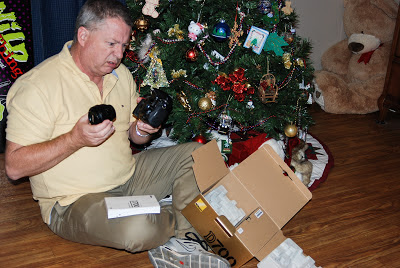
Your very first DSLR! (Digital Single Lens Reflex) This is a big step up from a “Point-and-Shoot” or an iPhone camera. Whether the camera is for taking pictures of the kids, landscapes, or food, learning how to use a DSLR can be intimidating. All of the buttons and settings come together to make either an artistic photograph, or a complete mess. But relax, with a few simple pointers, you'll be taking pictures like a pro in no time.
Get out and shoot
The good news is that most DSLR's have very similar controls and settings, so it doesn't take long to get the basics down so you can get out and start shooting. It doesn't matter if your camera is made by Nikon, Canon, Fuji, or whatever. Read the Quick Start booklet that came with your camera. Put in the battery, and the memory card and let's take some pictures!Attach the Kit Lens
Your camera probably came with a “Kit Lens”, which is usually a standard zoom lens 18-55mm. To attach the lens, most cameras have a small dot that lines up with a similar dot on the lens. Put the dots together and turn the lens until it clicks into place. Don't force it! Don't forget to take the lens cap off! When you look through the camera's eyepiece you can see through the lens. If you rotate the lens barrel, it makes the picture zoom in or out.Stay in AUTO Mode
Most cameras will have a dial on the top or back of the camera to set the mode. I always recommend beginners to put the camera on AUTO and keep it there. This let's the camera's brain computer figure out the settings for a proper exposure. What about all those other buttons and settings? For now, “forget about it...” Too often, beginners obsess about learning all the manual settings for aperture, shutter speed and ISO (pronounced “Eye-Ess-Oh”) and they get frustrated. Instead of getting frustrated, get out and take a few thousand pictures.
Picture Format (RAW or JPEG)
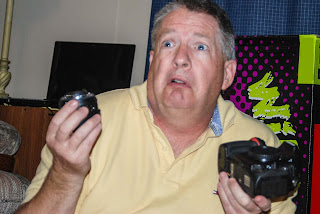
The only setting I would give some thought to and check would be
the picture format, or sometimes referred to as picture quality
(although quality doesn't have much to do with it). As a beginner,
you'll want to shoot pictures in JPEG (pronounced “jay-peg”).
Raw format gives you more flexibility in editing (or correcting) the
pictures on your computer, but that comes later.Memory Card
If your camera didn't come with a memory card, you'll need one. The most common types of memory cards are the SDHC. They come in all different capacities. An 8GB memory card can hold over a thousand JPEG images. The cards also have speed ratings. Get a good brand, with a high speed transfer rate. You've got a good camera, don't buy the cheapest memory card!Shoot!
Once you have your battery, and memory card in the camera,
settings on AUTO, and shooting JPEG, it's time to take this baby on a
test drive. Look through the viewfinder. When you press the shutter
button half way, it will adjust the focus. When you press it all the
way, you'll hear the shutter click, and the image will appear on the
LCD screen of the computer. If you're indoors, and the light is dim,
your camera may activate the on-camera flash. Not all camera models
have a built-in flash, but most of the entry level DSLR's do. It
will use the flash when it thinks it needs it. Take pictures of the
dog, the cat, your family, the Christmas tree, your garden, the
mailman, and everything else. I challenge you to try and drain the
battery or fill up your memory card with pictures.Downloading
When you have finished shooting, it's time to download the images to your computer. Check your user manual, but generally, you can do this two ways: connect a USB cable from your camera to the computer, or remove the memory card from the camera and put it in a card reader or SD slot on your computer. (A lot of newer computers have card readers built into them) Your PC or Mac can read the JPEG format, and you can view your work. As you become more advanced, you'll want to be able to edit and correct some of the photographs. You'll need a software program like Adobe Lightroom or Google's Picasa to edit.Gear Lust
One of the worst traps to fall into once you enter the world of DSLR's is “gear lust”. This is where you convince yourself that you'll be able to take better pictures if you have a better camera or better lens. I don't know how many times, I've had someone contact me and tell me that the reason their images are blurry is because they don't have the right kind of lens. While it is true that some equipment is better than others in low light, or fast moving sports action, the problem is usually six inches behind the camera. If this is a hobby that you are going to get into, take baby steps. Use your entry level camera and kit lens for a year before you start adding or upgrading equipment. During that year, learn everything you can about your camera. Learn about exposure. Learn about light. If you think you can't produce quality photographs with a kit lens, check out some of the Flickr groups that only post images from a kit lens.Useful Gear
There are a few items that are extremely useful to beginners. There will come a time when you'll need a flash unit, sometimes called a “Speedlight”. These flashes are more powerful than the on-camera flash and can be used very creatively. Although there are many brands that probably work with your camera, your first flash should be the same brand as your camera. This is important because the flash needs to “talk” to your camera. Many times, with off brand flash equipment, you have to set up the flash power settings manually. When I put my Nikon Flash on my Nikon camera, it always gives me a perfect exposure flash because the flash gets all of its settings from the camera.The next item that you'll need is a tripod. A tripod is essential for things like shooting at night. Tripods come in a variety of styles and brands. As a beginner, I always recommend just a cheap basic one. You'll be amazed at how much sharper the image is when you use a tripod.
When the time comes that you'll want to add a lens to your system, the one I always recommend is the 50mm prime. A prime lens is one that does not zoom in or out. It stays at a constant focal length. A 50mm (sometimes called the “nifty fifty”) is a beautiful portrait lens, and great for walking around the city doing street photography. The best part about the 50mm is that you can usually pick one up for less than $200. They are great in low light, and fast to focus.
Learning
Some people seem to learn by reading books, others prefer to watch videos. There are literally millions of books and videos available to the novice photographer. Just the selection of material can be overwhelming.Books
The “Digital Photography” series of books by Scott Kelby are some of the best. Kelby's style of writing makes it easy to understand, and he throws in a lot of humor too.Eventually, you'll want to take the camera off the “AUTO” mode, and learn about aperture, shutter speed, and ISO. When that time comes, the best book for learning about manual settings is “Understanding Exposure” by Bryan Peterson. I've had this book for over two years, and I keep going back to it as a reference. It's well written, and under $20, it's a bargain.
I admit that I'm not a big fan of the “Dummies” series of books, but a lot of people love them. “Digital SLR Cameras and Photography for Dummies” by David Busch looks interesting, and again for less than $20 at Amazon.
Video
One of the biggest ways that the internet has changed our life, is with streaming video on the net. The amount of video tutorials available online is mind boggling. Do a YouTube search on the phrase “Photography Tutorial” and I got 285,000 results. Even though the videos are free, you'll question whether some are worth that. Here's a video that I found some time ago, and it explains the basics of exposure in a way that's easy to understand. Here's another one by the same kid, that explains metering and exposure stops.If you're looking for quality video instruction, I'd recommend KelbyTraining.com (No, I'm not on Scott Kelby's payroll, he just does good work!) For a low subscription fee, you can watch all the videos you want. The one's I've seen are all good. You'll get video instruction by some of the top photographers in the country. From basics to advanced techniques.
Summary
Congratulations on your new camera, and the world of DSLR's. It's a money pit that is second only to golf and Harley Davidson motorcycles. The best way to get over the intimidation of the camera is to get out and take pictures. Then take a few thousand more. Don't buy any more gear until you wear out the basic kit. You don't need more gear to take better pictures. Photography is an art. Art cannot be achieved in a few days. You'll need to study. You'll need to learn. What are you doing reading this on your computer? Grab your camera and go shoot!Richard Spears is a photographer and free lance writer in San Antonio Texas. Www.rspearsphotography.com photographs courtesy of Kelly Janetsky. No part of this article may be re-printed without consent of the author.
Wednesday, October 10, 2012
Accidental Ghost Car
Wednesday, September 19, 2012
Nikon D600
Oh Boy! We like... we definately LIKE.
After months of rumors, Nikon finally announced their "entry level" professional grade full frame camera, the D600. (For those of you who are not into photography or Nikon, you can skip this blog...)>
Friday, August 10, 2012
HDR
This is an example of HDR (High Dynamic Range). The picture is St. Joseph's Catholic Church in Spring Branch. An HDR image is actually a composite of several images over a span of exposure values.
Friday, July 13, 2012
Cropping Explained
When you go shopping for a picture frame, what's the most "common" size you'll find? 8" x 10". It's been like that for... well, longer than I've been around. I remember when I first got into photography, (the film years) and took my film to the drugstore to get processed. I had 4"x6" prints made, and one of them looked GREAT! I thought.."hmm... I'm going to blow this up and put it on my wall" so I ordered an 8x10. When I got the print back from the lab, part of the person's head was cut off!!
Thursday, July 5, 2012
Baby Photography Made Easy By Al Borrelli
Reprinted with Permission - Original blog article by Al Borrelli

This awesome post (more like gathering of suggestions!) is going to help all you parents (often stay at home ones) be better photographers with the limited kit and time at your disposal. This is NOT about achieving professional results, but of making the most out of simple techniques and basic kit.
Tuesday, July 3, 2012
Sandra and Jason
I knew it was going to be a fun wedding. Sandy told me that she liked my ideas, and wanted to do some "fun" pictures. You see... this is the second wedding they've had. The first wedding wasn't quite the dream wedding they had planned. Sandy was involved in a horrible accident just days before the wedding. She spent months without being able to walk. She said that Jason carried her... everywhere. She had horrific injuries, and she is still dealing with the pain, and the surgeries. She has another surgery scheduled in the next few months.
Sunday, July 1, 2012
Watermarks - By Jason Lanier
Reprinted from famous California photographer Jason Lanier:
Photographer Q&A about Watermarks:
QUESTION- Can I ask - has anyone ever said anything regarding the way you watermark your images? I for one believe it's beyond smart to watermark, but when I watermark people complain it takes away from the photos - and I use a 5% opacity... in the back of my mind I feel people that whine about watermarks either don't understand WHY we do it, or wanted to "steal" the image in the first place... thoughts?
ANSWER- People seem to ask me about my watermarks several times a week recently. On mine, the opacity is at 25% with a drop shadow, spread three times across the image. I built a watermark that made the image still palatable for viewing in my opinion, yet protected my image from unauthorized use. I built it thinking of what would be hard for me to Photoshop out if I was trying to get rid of it. So far, I'm very happy with my watermark.
I agree with your assessment that the majority of people who "whine" about it as you say either have desires to steal it or just don't get it. People like to insult the the photographer by saying, "Really, who wants to steal YOUR images?" That's just complete baloney.
Le's stop being naive about what we do. These days the vast majority of clients don't even print much at all anymore. Virtually all packages are based on getting digital files in some way/shape/form. Clients want to be able to use their images on their iPhone, iPad, Facebook etc. They want to show them digitally. I can't tell you how many times I see my images used for people's profile pics, banner pics, etc. As long as my watermark is on that image it doesn't bother me as much because I know that I am getting the proper photo credit for that shot. Once someone yanks out my watermark...then it's on. I work too hard at my craft to have someone just steal my shot and I get zero credit. IT'S NOT JUST A PICTURE, IT'S A PIECE OF ART. Stop trying to downgrade our work to "just snapshots", because if that was all they were, you wouldn't want them so badly.
One more note....many "Big Name" photographers or truly Professional Full Time Photographers don't post their images on Facebook because they don't want the drama and don't want their images being used without authorization. They only use images on their websites, no where else. So I figure that sharing my images with a 25% opacity watermark is a lot better than not sharing them at all. As you know I post all my settings and explain my shots which 99% of the others don't as well, so I feel very comfortable doing it the way I'm doing it.
Last Note...Please keep in mind that I shoot and share images from my weddings, children shoots, pin ups, landscapes, and wildlife. I'm certainly not going to do different watermarks for each different genre of picture that I post. While one person may look at a wedding shot of mine and say, "Who's gonna steal that?" what they don't realize is that I might post a landscape shot of Africa the next day and plenty of people will steal that. Also, wedding photographers steal other people's shots all the time to learn posing...I've seen it in person at my workshops where people are showing me a posing book they've compiled and forgot that about 5 shots of mine were in there. When I immediately recognized the shots and told them, they were mortified...this is before I had a strong watermark....Worst case scenario someone photoshops your watermark out and claims it as their work. It's a reality folks. If you're good, people will steal your work. Get educated.
So, from this point forward when I get questions about watermarks I will post this article. There's no right or wrong way to do or do not do watermarks...there's just the way that works for you. Based on the response of Facebook to the shots that I post, people can still see the beauty of my shot while I'm able to have some peace of mind that my hard work isn't being used without my permission or at least me getting credit for what I did....
If you've read all of this and are still whining, you either want to steal my shot or just don't get it...hope this helps!!!
Tuesday, June 26, 2012
The MegaPixel Myth
When Nikon announced the new D800 with 36 megapixels, the camera community collectively peed themselves like an over-excited chihuahua. I would have liked to have been inside the boardrooms at Canon to hear them barking (in Japanese, which I imagined sounded like a cool old Kung Fu movie) to the engineers that Canon must now roll out a camera with more pixels than the D800.
Friday, June 22, 2012
Beating Myself Up
The last few days, I took a trip down memory lane, picture speaking, and browsed some pictures I took at a wedding about a year ago. I'm still bloodied and bruised from the beating that I gave myself. I found myself slapping my head and saying "how could you under-expose that shot?" I took a few more punches for the wrong lens selection, and when it was all said and done... I felt terrible.
Monday, June 4, 2012
Uncle Bob
There's a joke among photographers, specifically wedding photographers about "Uncle Bob". Everyone has an Uncle Bob... he's the expert on just about everything. He'll show up to the wedding, and get in every shot the professional photographer is trying to take. Most photographers even have an "Uncle Bob Clause" in the wedding contract about anyone interfering with the photography at the wedding. Tonight, on a forum, I found the perfect example of the Uncle Bob shot. The photographer was lined up for the "First Look" shot where the groom sees her for the first time in her wedding dress... and up pops Uncle Bob with a camera, ruining the shot for the photographer. Don't be an Uncle Bob.
Saturday, June 2, 2012
Choosing a Camera
People know me as a photographer/camera/computer geek kind of guy. I've had a lot of people tell me that they would like to buy a camera, but the choices and the options available are a little overwhelming. I thought I would create a blog article to give you my thoughts on cameras and that maybe it will help someone getting into photography.
Friday, June 1, 2012
Stock Photography, Here I come!
I'm branching out... I'm going to try stock photography. For those of you who don't know the 'lingo'... stock photography is a business that let's people (usually web designers) buy stock images to use in advertising.
Wednesday, May 30, 2012
How Photographers Make your Double Chin Disappear!
Famous headshot photographer Peter Hurley gives tips to photographers on how important the jaw line is in creating attractive portraits.
Subscribe to:
Posts (Atom)